CORENEXA Video
Now included with every LPS Connect extension
CORENEXA Video is now included at no additional cost with every LPS Connect extension. This allows you to leverage video whenever it’s most effective or necessary for engaging with employees, customers, or suppliers, without the need to schedule and use other video meeting services such as Zoom, Teams, Meet, or WebEx. It supports using video as a conversational tool, not just for formal meetings. You can make 1:1 video calls or use your own free virtual meeting room where employees, customers, or suppliers can easily join without requiring a downloaded application.
Video Communication: How Did We Get Here?
It’s easy to take video calls for granted today. With a click, we can jump into a Zoom meeting, join a Teams call, or catch up face-to-face with someone across the world. But the idea of video communication didn’t start with the internet—or even computers.
In fact, it began shortly after the telephone itself.
Back in the late 1800s, people quickly realized that hearing someone wasn’t quite enough—they wanted to see them too. The concept was there, but the technology simply wasn’t ready yet. What followed was a decades-long journey of innovation that slowly turned that idea into reality.
The Early Days: A Vision Ahead of Its Time
The first real attempt at video calling came in the 1960s with AT&T’s Picturephone, introduced at the 1964 New York World’s Fair. It was a remarkable achievement—but also expensive, bulky, and ahead of what most people were ready to adopt. Still, the seed was planted.
Building Momentum: 80s and 90s Innovation
Fast forward to the 1980s and 1990s, and things started to get interesting. Advances in digital networks and video compression made video conferencing more practical—and slightly more affordable. Companies like PictureTel and VTel began developing commercial systems, mostly for large enterprises. It wasn’t mainstream yet, but the foundation was being built.
The Internet Changes Everything
The late 1990s and early 2000s marked a turning point. With the rise of the internet and broadband connectivity, video communication finally started becoming accessible. Businesses adopted it first, followed by everyday users. Then came a major milestone: Skype’s launch in 2003. Suddenly, people around the world could make video calls for free or at very low cost. That’s when video communication really began to scale.
The Cloud Era and the Remote Work Boom
By the 2010s, cloud technology transformed everything again. Video conferencing platforms became easier to deploy, easier to use, and far more affordable. Then came 2020. The COVID-19 pandemic didn’t just increase usage—it made video conferencing essential overnight. Platforms like Zoom, Microsoft Teams, and Google Meet became household names as businesses, schools, and families all moved online.
What’s Powering It Today: WebRTC
One of the biggest behind-the-scenes breakthroughs is WebRTC (Web Real-Time Communication). In simple terms, it allows video and audio communication to happen directly in your browser—no downloads, no plugins, no hassle. This has made real-time communication faster, simpler, and more accessible than ever before.
WebRTC - Harnessing the Power of the Browser and the Network
The introduction of WebRTC (Web Real-Time Communication) technology has been a major advancement in the way real-time communication occurs on the web. Unlike previous technologies, WebRTC allows for direct video, audio, and data communication between browsers and devices without the need for additional plugins or third-party software. This development has significantly benefited applications requiring real-time interaction, such as video conferencing, live streaming, and peer-to-peer file sharing, by simplifying the process and making it more accessible.
Looking forward, the anticipated next phase of evolution in video and real-time communication technologies is expected to come from the integration of WebRTC with various digital tools and platforms. This means that WebRTC could be more deeply embedded within productivity suites (like Microsoft Office or Google Workspace), social media platforms, and specialized tools specific to certain industries. The goal of these integrations is to offer users a more seamless and cohesive experience, allowing them to effortlessly transition between different tasks and types of communication without needing to switch applications or environments.
For example, integrating WebRTC with a productivity suite could enable users to start a video call directly within a document editing session, facilitating real-time collaboration. Similarly, social media platforms could use WebRTC integrations to enhance live streaming capabilities or enable direct, real-time communication between users without leaving the platform.
This evolution aims to create a more interconnected and user-friendly digital ecosystem, where the barriers between different services and types of communication are minimized, enhancing productivity and user engagement.
CORENEXA Video and WebRTC
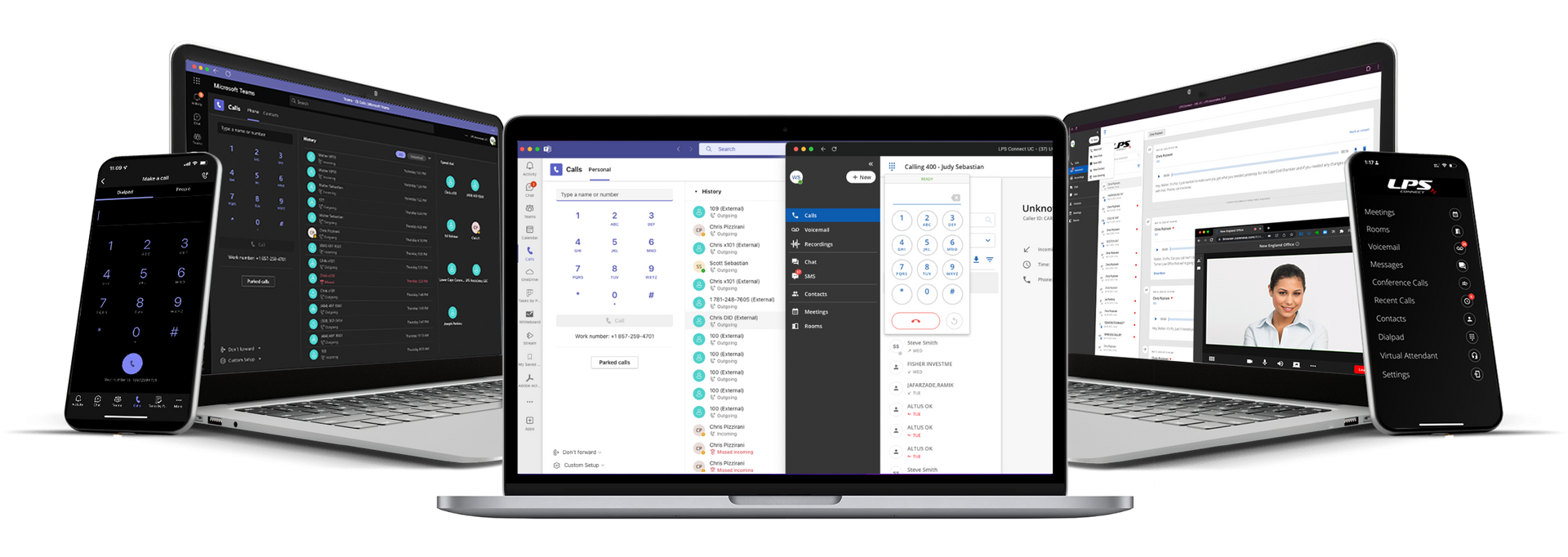
LPS Connect's UCaaS offering, CORENEXA, incorporates WebRTC based video and collaboration as a component of its unified communications platform. LPS Connect supports voice communications, sophisticated call routing, SMS/MMS messaging, and now WebRTC based video and screen-sharing working in concert with Google and Microsoft contact and calendar integration. Voicemail, call history, and call and video recording round out it's total capabilities.
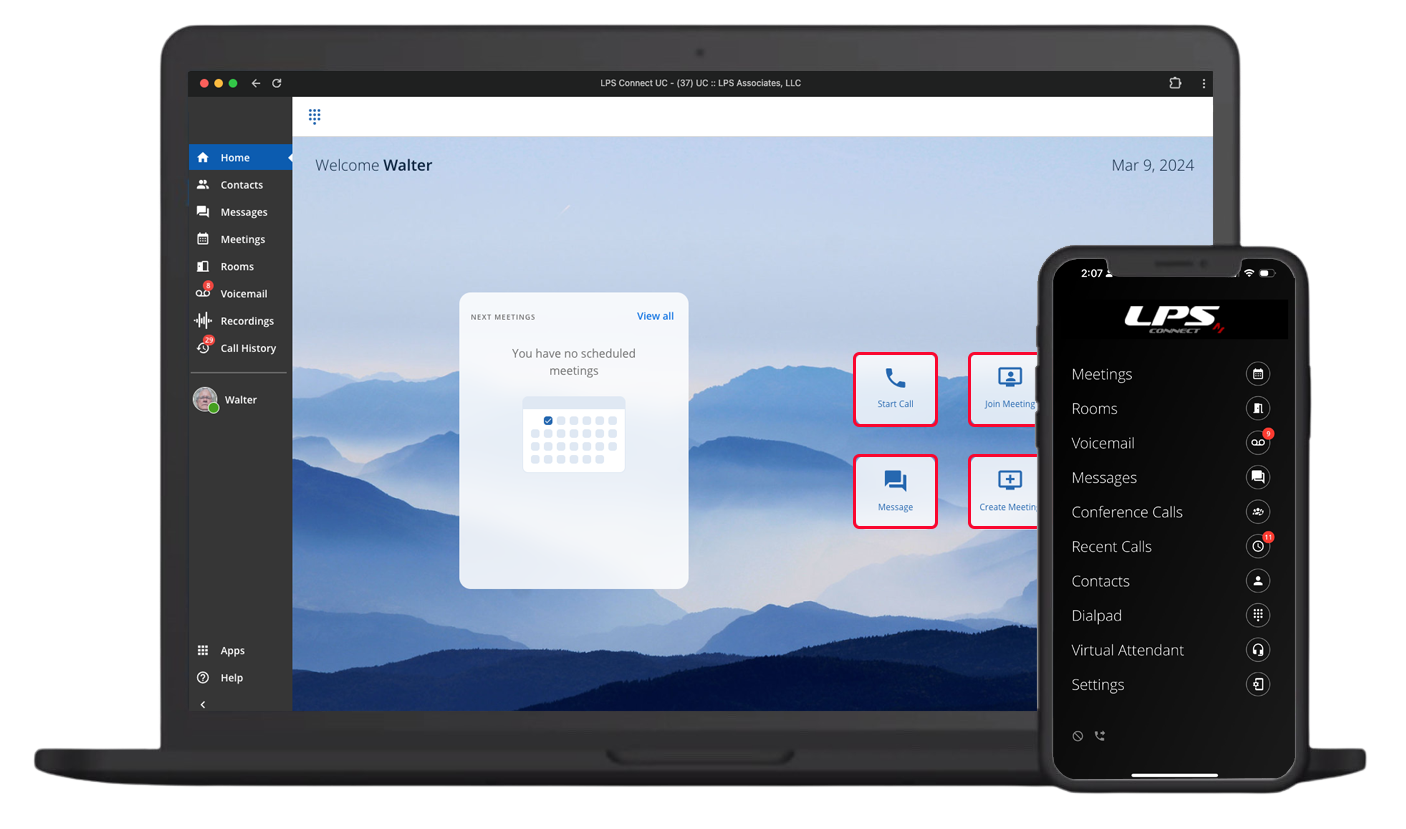
One-to-One Ad-hoc Video via Community Contacts
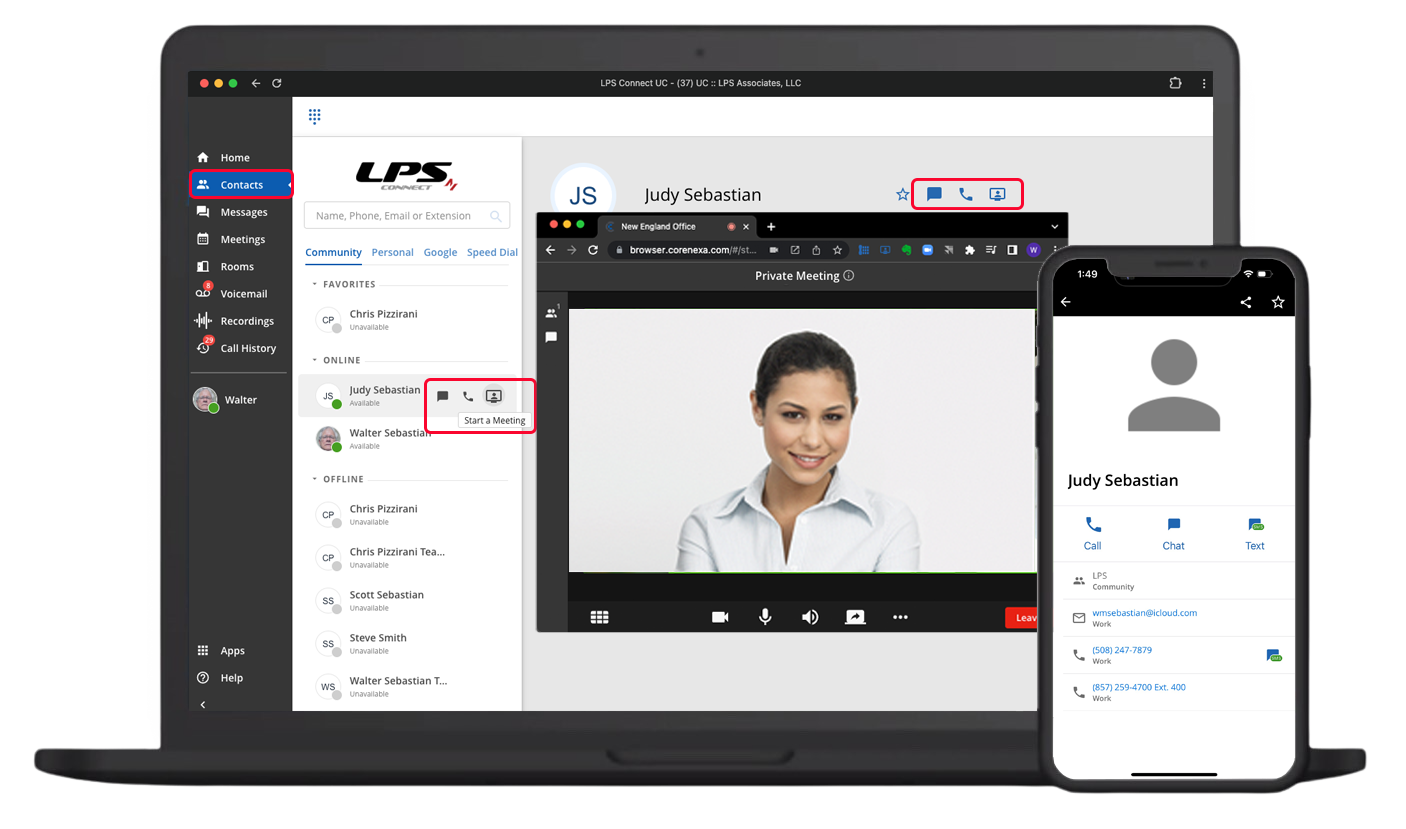
CORENEXA Video, functionally integrated with LPS Connect voice, chat messaging, and texting through a common user interface, is a great spontaneous video application for organizations that are using LPSConnect for their voice and texting communications in concert with services such as Zoom, Microsoft Teams, Google Meet, and Cisco WebEx, among others for multi-participant video meetings. LPS Connect internal/Community users can easily connect to each other, 1 to 1, by clicking on the "Start a Meeting" prompt located within the contacts record as illustrated below. Once the call is established, both parties will connect in a new browser window after agreeing to join the session. They can then share information, exchange files, and record the session for archival purpose
CORENEXA video is offered free of charge. Video calls can be made as easy as a voice call or text message making CORENEXA the go-to solution for spontaneous or un-scheduled 1 to 1 video.
Inviting Meeting Participants
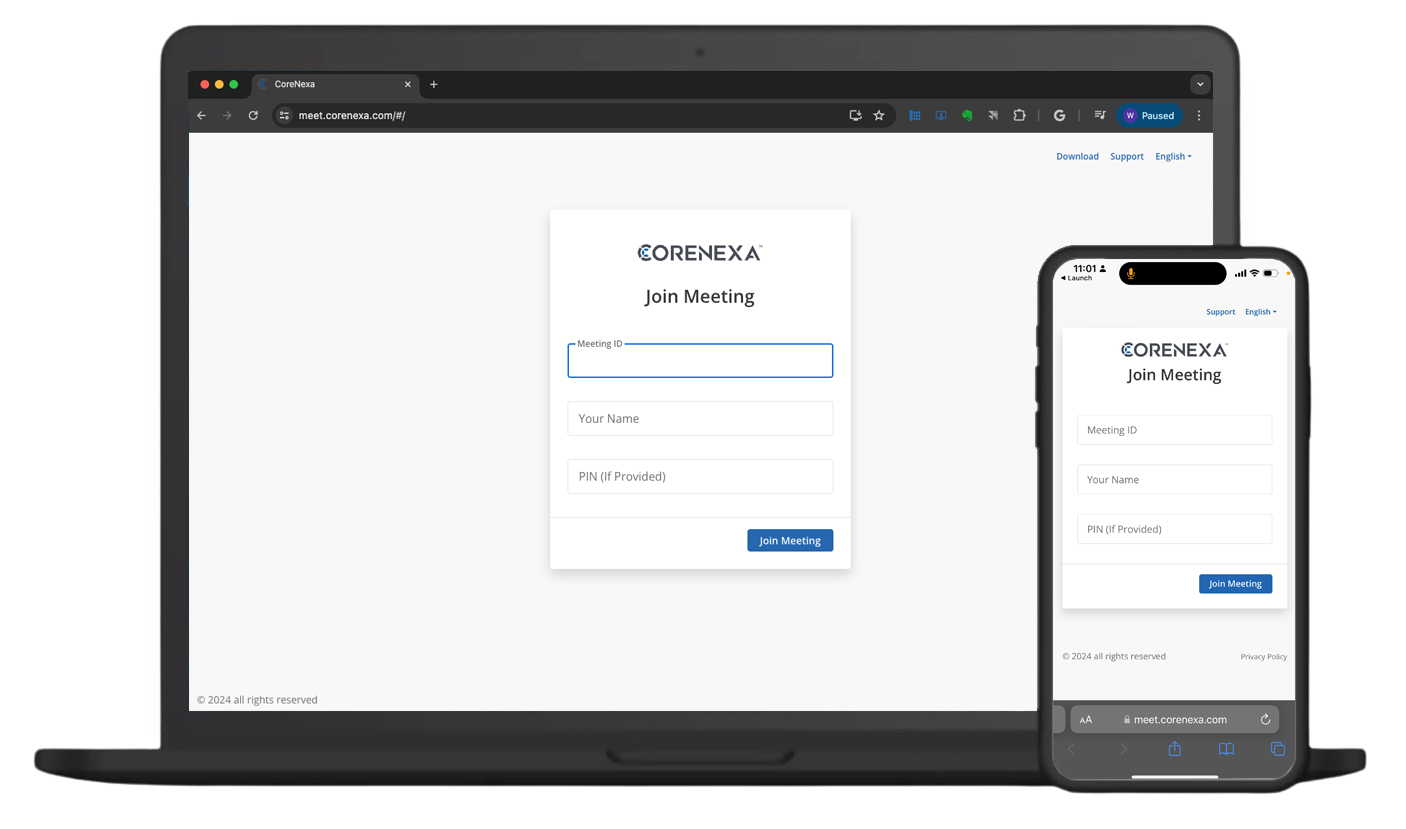
Participants outside of the Community/LPS Connect phone system can easily connect via a browser by using the meet.corenexa.com URL followed by a Meeting ID, Your Name, and PIN. There is no need to download any software making connections possible on ANY device and ANY browser (Chrome, Edge, Safari, or FIrefox) - ANYWHERE. Meeting ID’s and PINs are generated for Private, Un-Scheduled and Scheduled Meetings and are Permanent for Rooms. PINs can be changed periodically to maintain security.
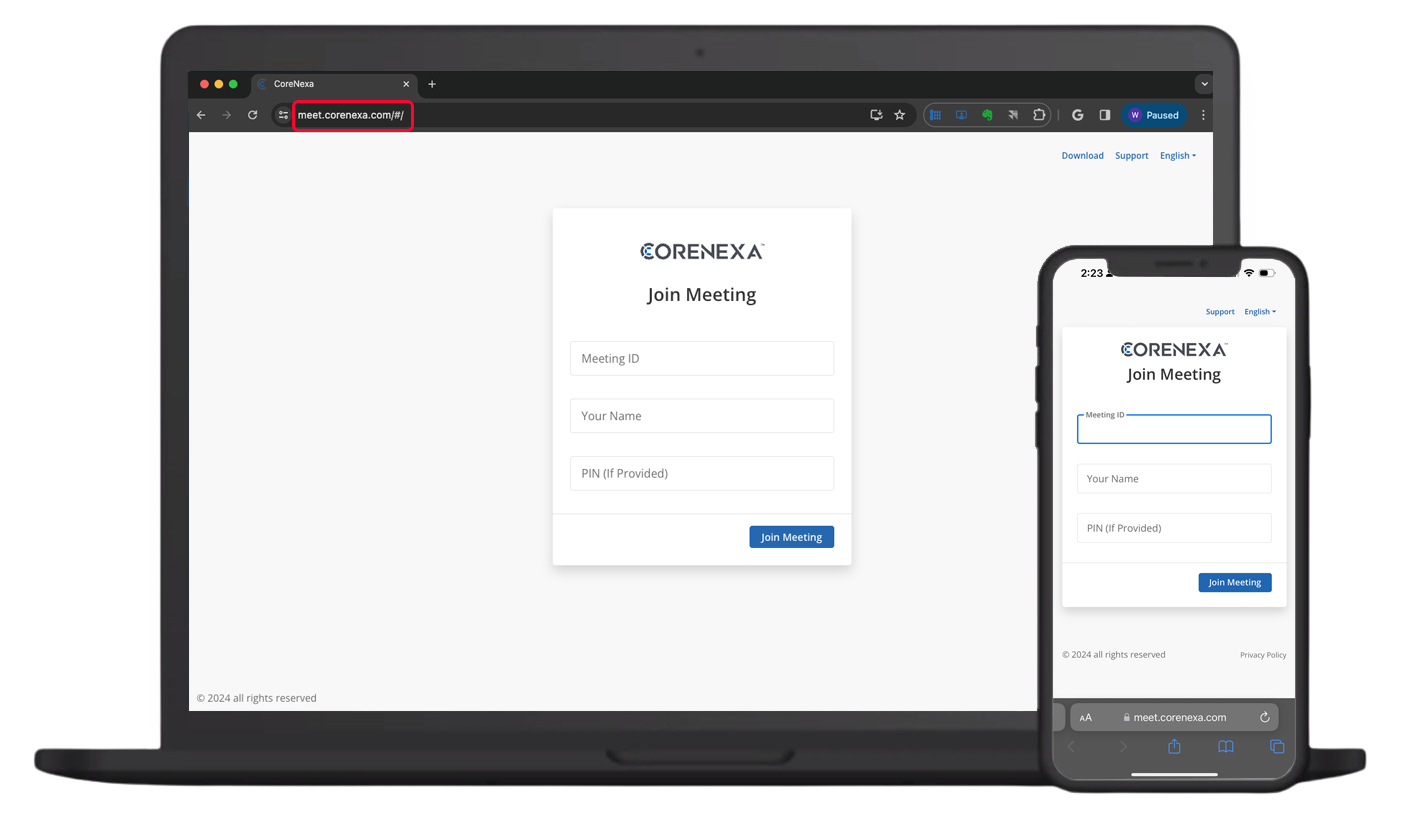
You're free to test it out Now. Give us a call and we'll provide you with a Meeting ID and Access PIN. It's that easy.
Multi-participant Meetings via Un-Scheduled - Scheduled Sessions and "Permanent” Rooms
Multi-participant video meetings (up to 100) and screen sharing is available via always-on "Rooms" or immediate/scheduled "Meetings." both accessible via CoreNexa's user interface. Rooms can be assigned to individuals or groups and are always available for a meeting, much like physical meeting rooms. Immediate and Scheduled meetings can be set up by any user with scheduled meetings automatically added to either Google Workspace or Microsoft 365 calendars along with the ability to add participants with their respective calendar invites. Both private 1 to 1 and multi-participant meetings (Room or Immediate/Scheduled) can be recorded.
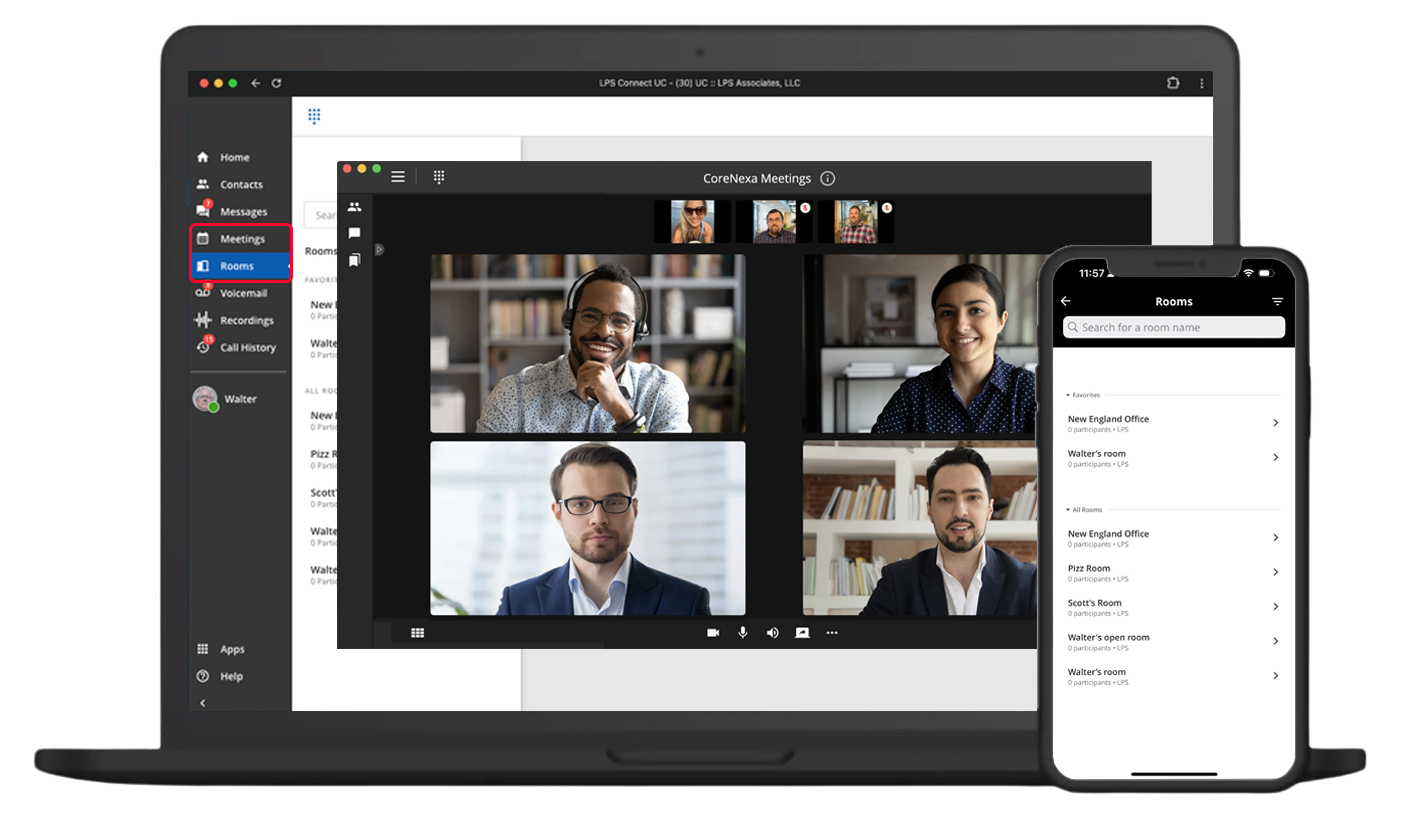
For "Rooms," the permanent "Meeting ID" and "Moderator Key or Access PIN" are all that are required to start a meeting at any time. Starting a meeting is as easy as opening a browser, entering the "meet.corenexa.com" URL, your name, and Moderator Key or Access PIN.
Form Factors
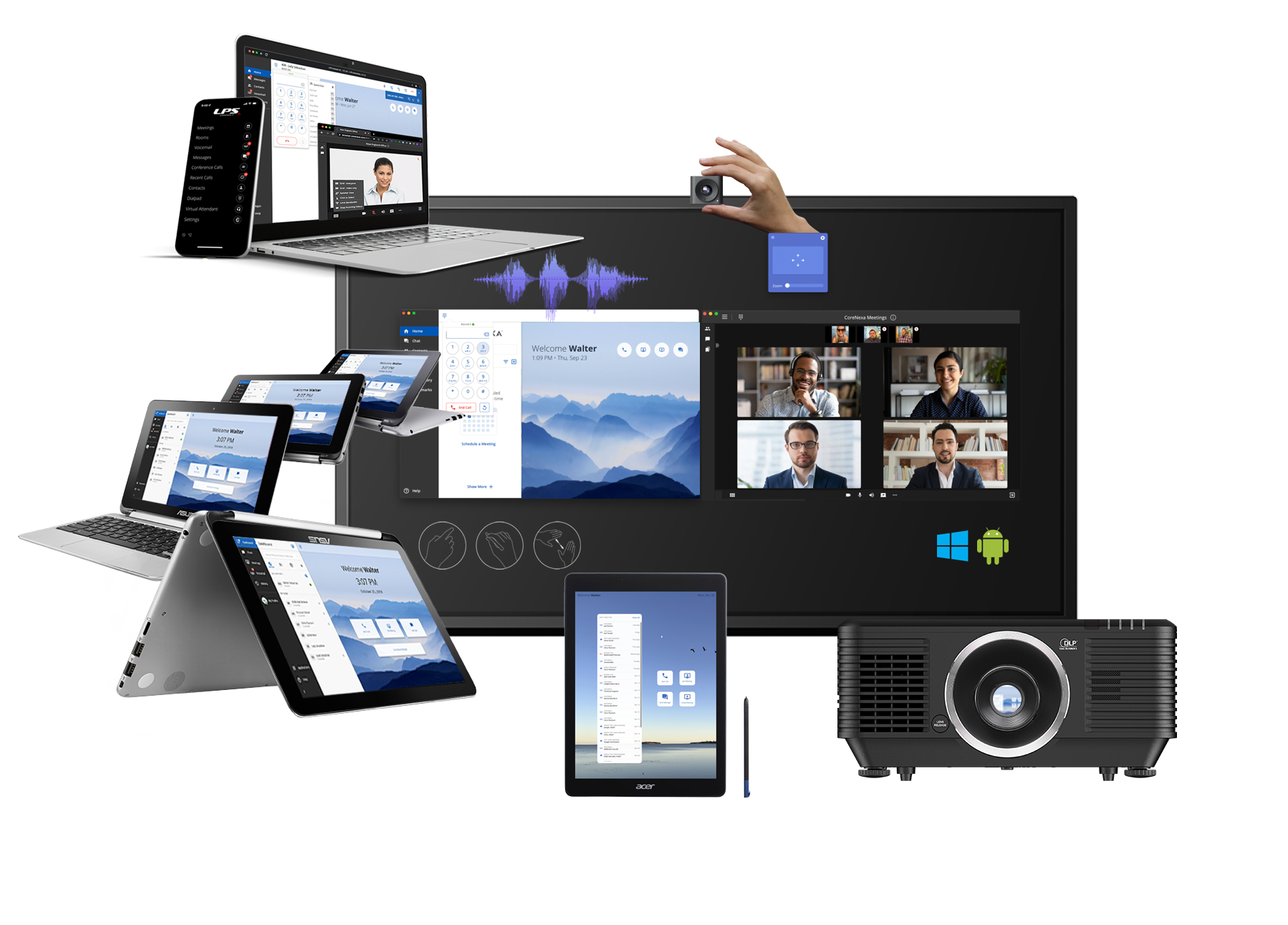
There are many ways that CoreNexa can be used to support an application or a specific environment, ranging from a mobile device, laptop, or Chromebook tablet to an 85" display in a meeting room or projector in an auditorium. This flexibility ensures that the right device and environment is available to productively hold a meeting.
For the Meeting Room - Room Videoconferencing Services, Systems and Integrated AV
In addition to CoreNexa UCaaS with video conferencing, LPS is also an authorized partner of Zoom. We offer both licenses and meeting room devices from Poly, Yealink, and Lifesize that make it easier for teams to meet and collaborate, both in-office and with remote participants, . The devices provide high-quality video and audio conferencing and make it easier for remote participants to interact with everyone in the physical meeting room.
Equipment is available for Microsoft Teams, Zoom, Google Meet, and Cisco WebEx via their native services and interfaces. The equipment can also be used in device mode to connect a laptop or PC that is running almost all other services. In this case, the laptop or PC is using the resources - camera, mic, and speakers of the room system.
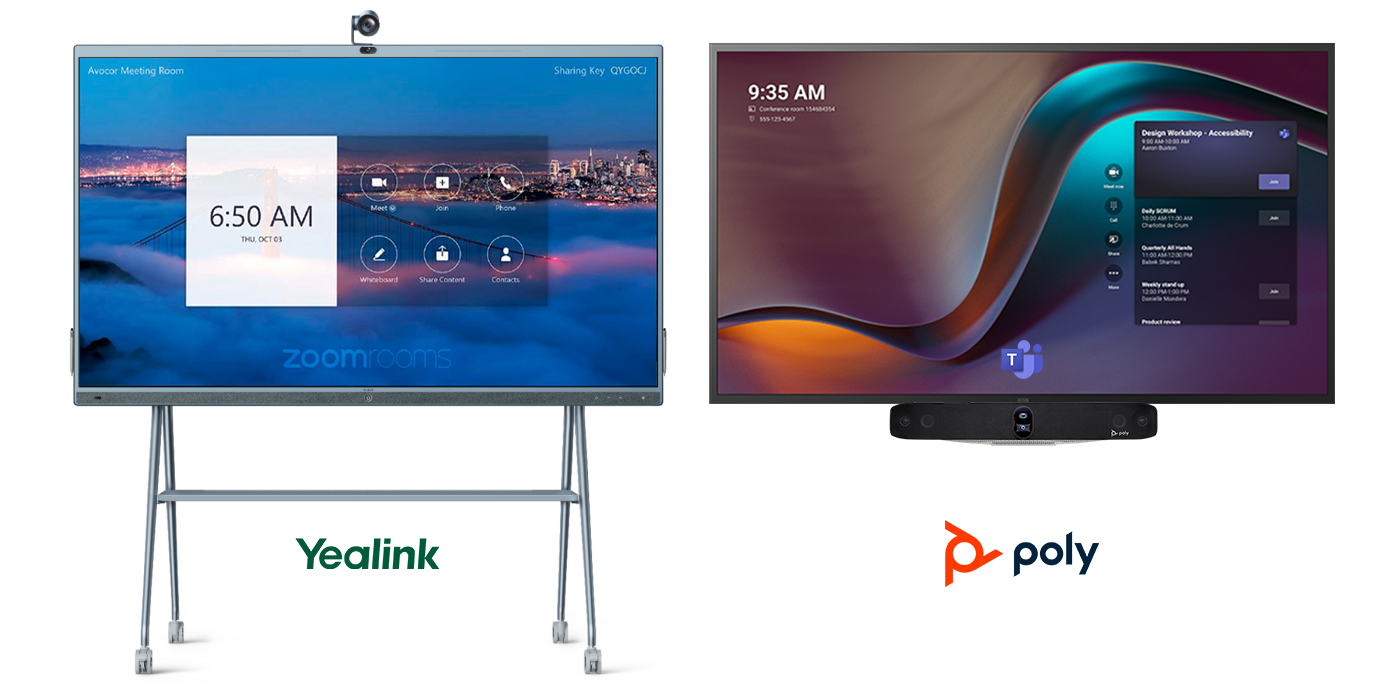
The following are devices offered by Yealink and Poly. The device on the left is the Yealink MeetingBoard running in Zoom Rooms mode. The device on the right is a Poly X70 meeting bar running in Teams Rooms mode.
The Finished Result
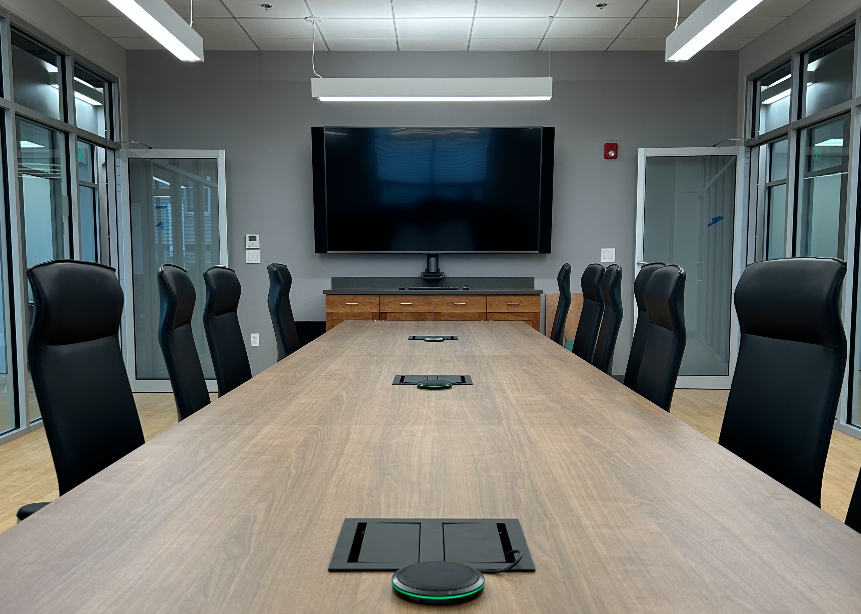
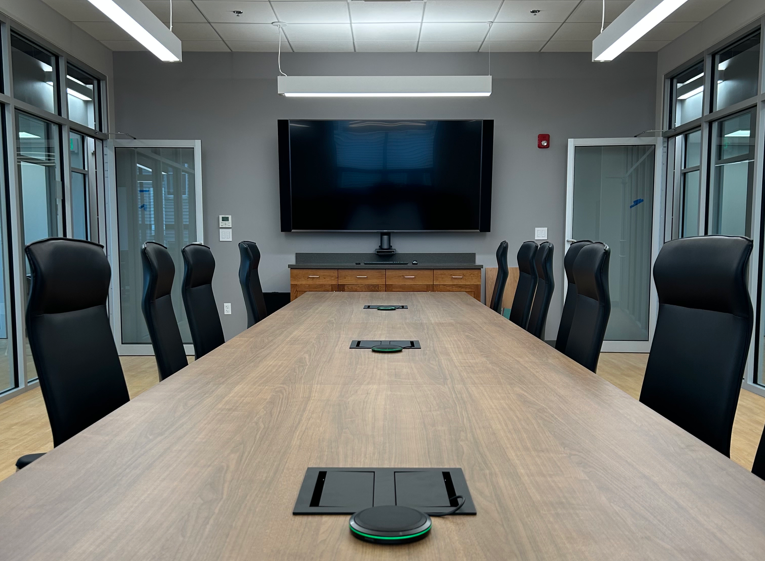
The following is a meeting room designed by LPS and outfitted with Yealink devices for Audio and Video Conferencing using Zoom as the meeting service. All components are integrated with the room and designed to support it's visual and acoustic characteristics.
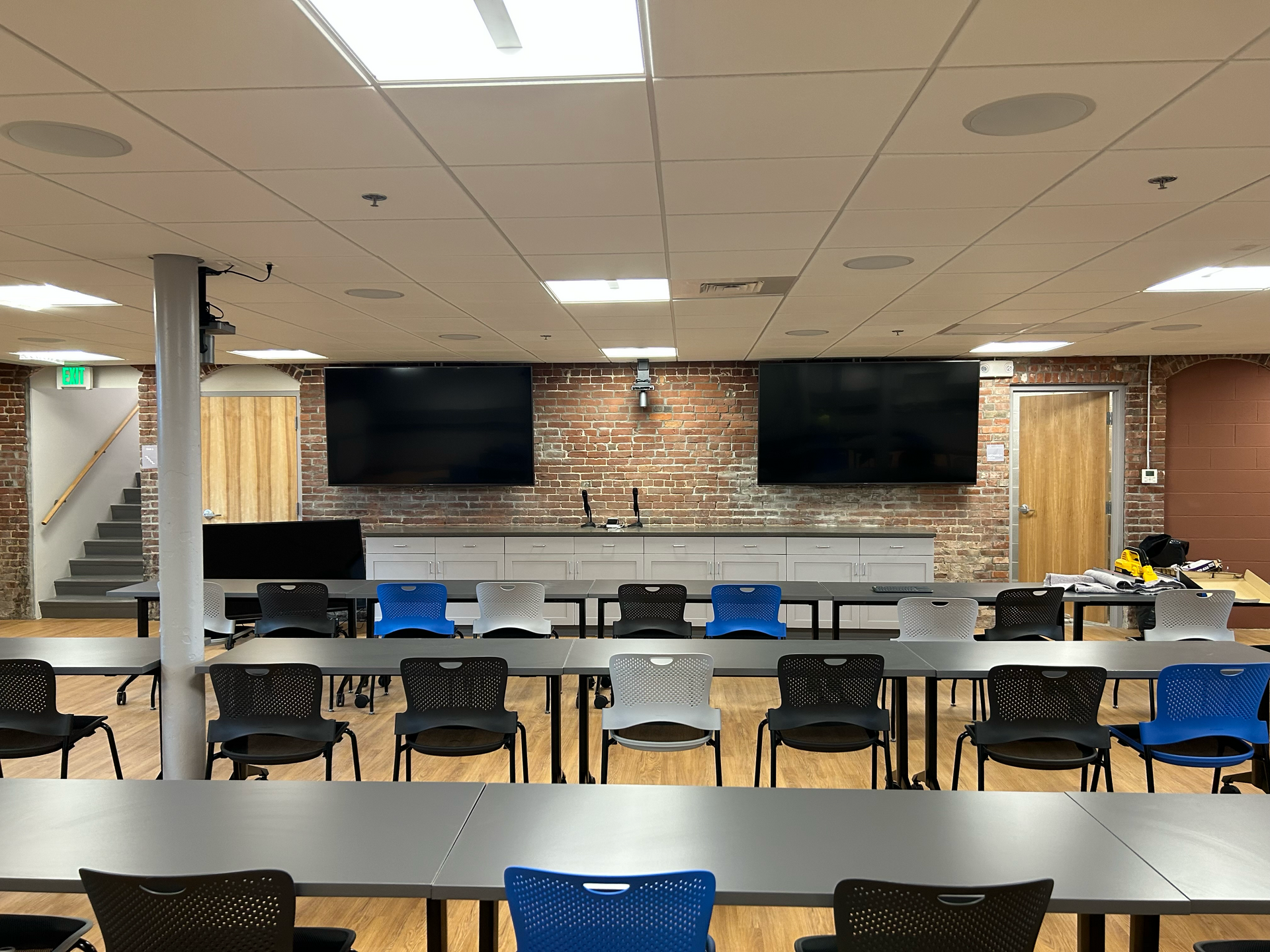
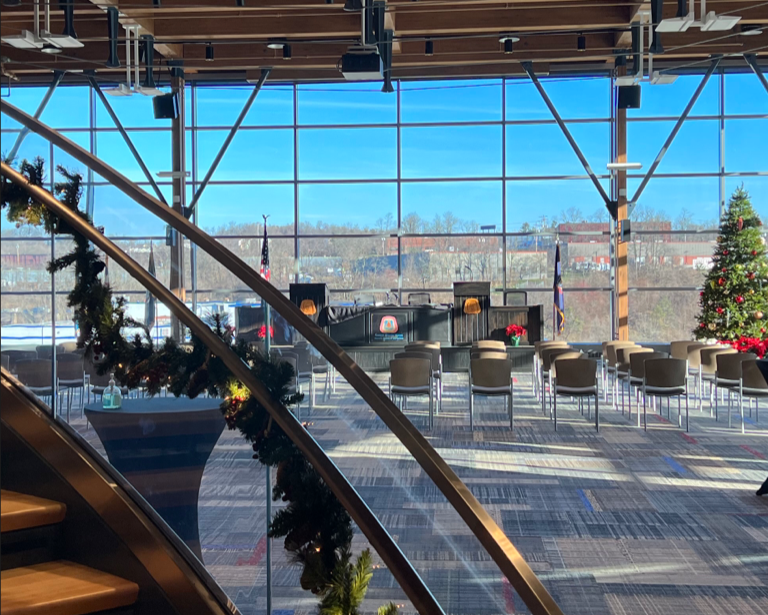
The following auditorium was outfitted with microphones, speakers, projector, and a LifeSize videoconferencing system to support the video and audio characteristics of the space.
Please look out for a future post on meeting room devices offered by LPS.
In the meantime, if you have any questions regarding this post or video conferencing in general, please do not hesitate to reach out to us.